Table of Contents
Affiliate disclosure: ToolTester24 may earn a commission if you buy through the affiliate links in this guide. Our review relies on public vendor docs, not hands-on product testing.
MailerLite fits freelancers and small businesses that send regular newsletters and sort readers into interest groups. Its Free plan caps at 250 active subscribers, 2,500 monthly emails, and 1 landing page, and locks sending above that limit. Comfort caps at 50 automations and 10 forms, while Power adds fair-use unlimited sends.
MailerLite: the buying decision
| Requirement. | What the published plans say. |
|---|---|
| A small starting list. | Free allows 250 subscribers and 2,500 monthly emails. Plan your upgrade before you hit the cap. |
| A growing newsletter list. | Comfort includes feature caps such as 50 automations and 10 forms. Check your subscriber tier and send cap. |
| A larger email operation. | Power lists unlimited monthly sends under fair-use rules. Check its extra tools against your workload. |
| A sales CRM or project tracker. | Handle those jobs in a dedicated tool. Subscriber groups do not replace a sales pipeline. |
Compare MailerLite Free, Comfort and Power. Price out both your current list size and the next subscriber tier before you choose.
Who should consider MailerLite?
MailerLite suits a service business that sends helpful articles and invites readers to workshops or consultations. It also fits a niche publisher whose readers pick specific topic interests at signup. In both cases, you know what emails you plan to send and why readers subscribe.
Keep non-email tasks separate in your planning. If your team tracks sales deals, manages client projects, or logs support tickets, write down how your email list connects to those tools. Newsletter groups only handle the email side of client work.
If you already use another email tool that works well, start by naming the exact problem you want to fix. Moving forms, templates, and suppression lists takes real work, so do not switch just for a short intro discount.
What does newsletter production involve?
MailerLite includes a drag-and-drop email editor. Check its editor page to see the available content blocks. Then test the editor using your own headline, body copy, images, and links.
Build one sample newsletter with a real image and a clear call to action. Send a test email to yourself and open it on a phone and a laptop. Make sure the message still makes sense with images turned off and that every link points to the right page.
If another team member will send future issues, ask them to edit the draft. A clean template is useful only if your team can update it each week without breaking the layout or sender details.
How do groups and segments help?
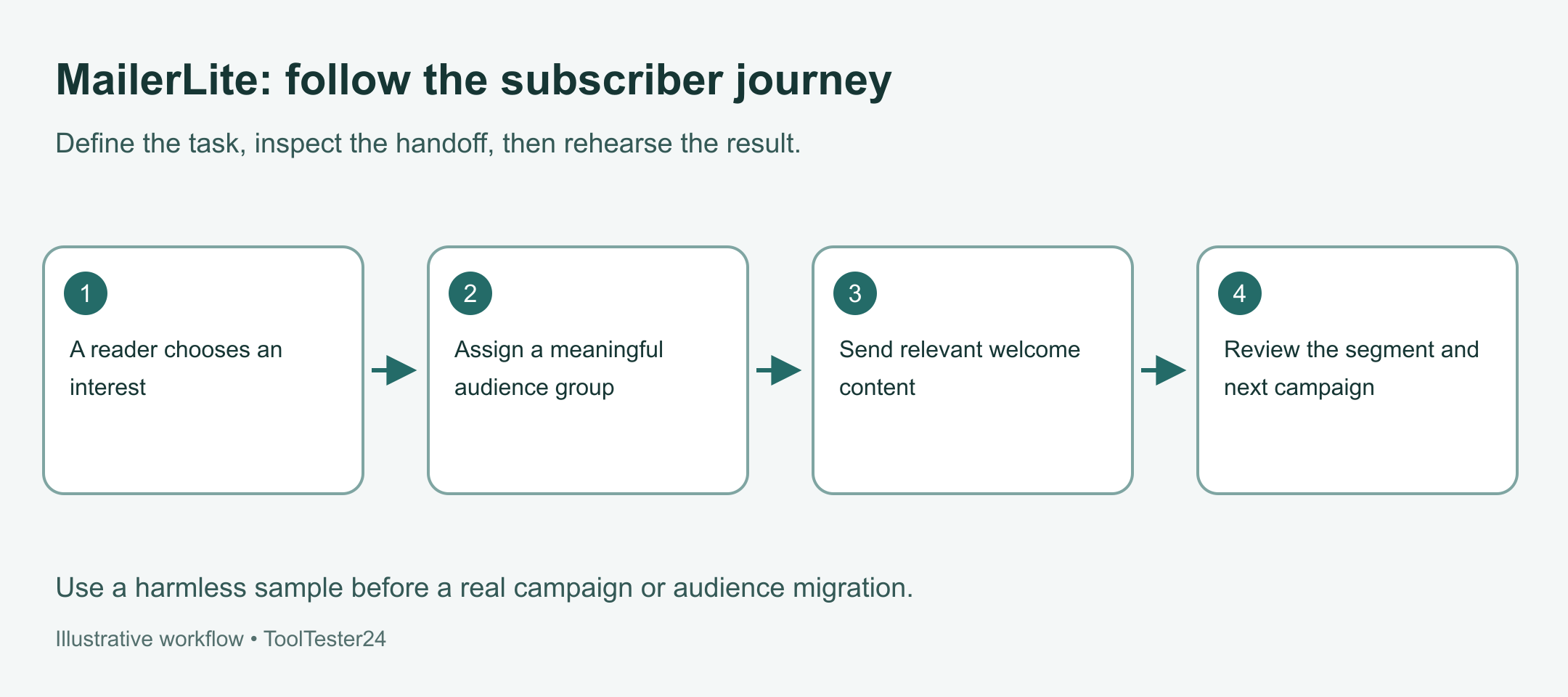
MailerLite’s interest groups let you label subscribers by topic or signup source. Its segments update automatically when contacts match your filter rules. Use groups for fixed topics and segments for changing rules.
Use a group for a clear interest
A consultant can let readers pick between free templates and workshop alerts on the signup form. Give each group a plain name that matches the form option. Avoid cryptic internal codes that nobody on your team remembers a month later.
Use a segment for a changing rule
A segment filters contacts who match a dynamic rule right now, such as location or recent clicks. Check the matching subscriber list before you schedule a campaign. Write down your exclusions clearly so current clients do not get prospect-only discounts.
Keep your group and segment list short. Add a new label only when it changes which emails a subscriber receives.
What should you expect from automation?
The automation feature page covers visual workflows, templates, and test sends. Those tools work well for delivering a signup guide and sending a short welcome series. Check your chosen plan tier for the exact step and workflow caps.
When you build a welcome flow, set the entry trigger and write the first email before adding any splits. Make sure the download link works, the sender name is clear, and the next email fits the promise. Check what happens if the same contact signs up a second time.
Update your automated emails whenever your website offer changes. An old sequence can easily keep pitching a retired service. Assign one owner to review active workflows every quarter.
Which current plan limits matter?
The current pricing page lists Free, Comfort, Power, and Enterprise. Free caps at 250 active subscribers, 2,500 monthly emails, and 1 landing page. Passing 250 active subscribers on Free locks both campaign and automation sends, so budget for a paid tier before your list hits 250.
| Plan. | What to inspect. |
|---|---|
| Free. | Up to 250 subscribers, 2,500 monthly emails, and 1 landing page. Sending locks above 250 subscribers. |
| Comfort. | Check your subscriber tier, monthly send cap, 50 automations cap, and 10 forms cap. |
| Power. | Check whether extra tools justify the price. Unlimited monthly sends follow fair-use rules. |
| Enterprise. | Custom list volume and dedicated support terms. |
Check the live pricing table inside your own region and currency. Compare monthly versus annual billing, taxes, and what happens after any trial ends. Price the next subscriber tier up before locking into an annual plan.
Can a small store use MailerLite?
MailerLite documents a Shopify integration that syncs customer records, order data, and product details for store campaigns. A small online shop can check it for post-purchase emails and product updates. If the shop is still choosing its platform, read our Shopify Review for a First Online Store.
Verify how the integration handles buyers who did not check the marketing opt-in box at checkout. An order email address alone does not grant permission for promotional newsletters. Check the exact filter used by any store workflow before you turn it on.
Test one real order and check the follow-up email it triggers. Then check what happens on a refund, canceled order, or repeat purchase. Write down who monitors the Shopify sync when your store theme or checkout changes.
What should you check about sending?
MailerLite’s domain authentication guidance requires senders to verify their custom sending domain. Make sure you can add DNS records at your domain host before scheduling your first broadcast.
Domain authentication protects your sender address, though it never guarantees inbox placement. Keep your signup promise clear and send what readers asked for. Watch your bounce and complaint reports instead of relying on generic delivery statistics.
This review includes no inbox placement test. Always send a preview email to yourself and check how it looks on mobile and desktop apps.
How should you evaluate or migrate?
Run a small signup-to-welcome test using a safe sample file and email addresses you control. Check the signup form, confirmation step, welcome email, reply address, and unsubscribe link. Ask a colleague to test the form and tell you what they expect to receive.
Before migrating an old list, save your full export and opt-out records. Test a small sample import to check custom fields, groups, and unsubscribed contacts. Pause active welcome triggers during import so old subscribers do not get a new-signup email.
Count the hours needed to rebuild forms and train your team when you compare prices. A cheaper monthly plan saves little if the editor slows down your weekly newsletter.
Questions before upgrading
Is the free plan enough for a business?
It covers a small starter list under 250 subscribers and 2,500 monthly emails. Because sending locks above 250 active subscribers, budget for Comfort or Power if your list is growing.
Should I use it as my sales CRM?
No. Keep deal tracking, proposals, and sales call notes in a dedicated CRM, and check how your email list connects to it.
What should I compare it with?
Read our AWeber review for tag-based welcome sequences, or our GetResponse review if you need multi-step funnels and webinars.
Our verdict
Put MailerLite on your shortlist when your main job is sending regular newsletters and sorting subscribers into clear interest groups. Test one newsletter draft and one welcome flow, then check the Comfort and Power tiers against your expected list growth. Keep your current email tool if switching does not solve a specific problem.
This review relies on official vendor docs checked on 29 October 2026. It reports no hands-on speed, revenue, or inbox placement tests.
Continue with the matching review or setup guide
- GetResponse vs MailerLite: Choose Your First Email Setup.
- AWeber vs MailerLite vs GetResponse: Which Fits Your Campaign?
View MailerLite plans. Check the final plan, billing cycle, and account eligibility before you start a subscription.
The plan details in the buying summary were checked on 30 October 2026: MailerLite plan comparison. Detailed setup sources were reviewed on 29 October 2026. This article relies on vendor docs and does not report a completed account trial or guaranteed result.
Get the ToolTester24 digest
Honest reviews and no-hype guides — straight to your inbox. No spam, unsubscribe anytime.
Some links in our articles are affiliate links. See our full Affiliate Disclosure for details.