Table of Contents
Affiliate disclosure: ToolTester24 may earn a commission if you buy through the affiliate links in this guide. Our review is based on public docs, not hands-on product testing.
AWeber, Kit, and Mailchimp serve different email goals. Choose AWeber when a simple welcome sequence, signup form, and newsletter cover your needs. Pick Kit if you sell digital products or paid newsletters. Keep Mailchimp when its store links and contact billing rules already fit your budget and list size.
When AWeber belongs on this shortlist
Put AWeber on your shortlist when a welcome sequence, signup page, and regular newsletter cover your work. Kit fits creators who sell digital downloads or paid subscriptions. A current Mailchimp setup is worth keeping when its store links and contact costs already fit your budget.
AWeber is the commercial partner linked in this guide. Kit and Mailchimp remain editorial options. Affiliate links do not decide which tool fits your business. Kit is the current name of ConvertKit. This guide uses official vendor pages checked on 29 and 30 October 2026.
Compare AWeber plans. Check the published Lite caps of 1 list, 3 landing pages, 3 automations, and 1 custom segment before you pick Lite or Plus.
Start with the job
| Platform | Core tools to check | Question before you buy |
|---|---|---|
| AWeber | Email workflows using messages, waits, tags, and feed checks. | Does the plan allow your needed list count, pages, and workflows? |
| Kit | Creator email, forms, tags, digital products, and paid subscriptions. | Which paid visual sequences and sales tools does your work need? |
| Mailchimp | Marketing automation flows and connected store or form tools. | Which contacts count toward your bill and which flow steps are included? |
These features overlap across all three tools. Write down the campaign you need now and the next step you plan to add. Do not pay early for a complex setup you may never use. Check that modest list growth will not force a sudden plan jump.
AWeber: inspect workflows and plan limits
AWeber’s workflow documentation covers four main actions: Message, Wait, Tag, and Check Feed. Map how those steps handle your welcome series or blog updates.
Check the current plan comparison for your subscriber count and billing term. On the pricing page checked on 30 October 2026, AWeber Lite allows 1 list, 3 landing pages, 3 automations, and 1 custom segment. Compare Plus if your setup needs more lists, pages, or segments.
Do not assume a free label covers every tool or that a short trial equals an ongoing free tier. AWeber’s cost help page describes a limited Free plan, while the main sales page promotes a trial and paid plans. Confirm which offer applies to your new account before you sign up.
During your test, write one welcome email and map the next step. Check what starts the workflow, how a tag changes the path, and how a subscriber exits. If you move an old list, ask what free move help covers and what you must rebuild yourself.
Kit: examine creator features
The Kit plan comparison includes email broadcasts, signup forms, audience tags, and sales of digital products or subscriptions. It places full visual automations and email sequences under paid Creator plans. Check which tier includes every tool your workflow needs.
The Creator versus Pro guide explains the extra reporting and audience tools on higher tiers. A large newsletter business may use those extra features each week. A smaller publisher may never need them. Choose from the work you do today.
If you sell a digital product, trace the full buyer path from signup and payment to file delivery, follow-up, and support. Check payment rules and transaction fees for your country directly with Kit. A sales feature on a plan card does not show the full cost of running your checkout.
Search for the current Kit name when you check app links. Older help pages still say ConvertKit, and the company’s rebrand post confirms that Kit is the same service. Check current menu names when you follow an older setup guide.
Mailchimp: check flows and contact counting
Mailchimp’s plan comparison splits automation flow access and branching depth by tier. Pick the plan that supports your sequence, then verify your store or form link. A logo in an app directory does not prove that every store event passes between systems.
Contact billing needs a separate check. Mailchimp’s contact guide states that subscribed, unsubscribed, and non-subscribed contacts count toward monthly contact limits under current rules. Legacy plans can follow different rules. Permission to send marketing emails is separate from whether a stored record counts on your bill.
Inspect your real contact mix before you compare price quotes. Do not delete records just to make a monthly quote look smaller. Decide which consent and suppression records your business must keep. A lower active subscriber count in one dashboard may not match the billable audience in another tool.
Compare equivalent costs
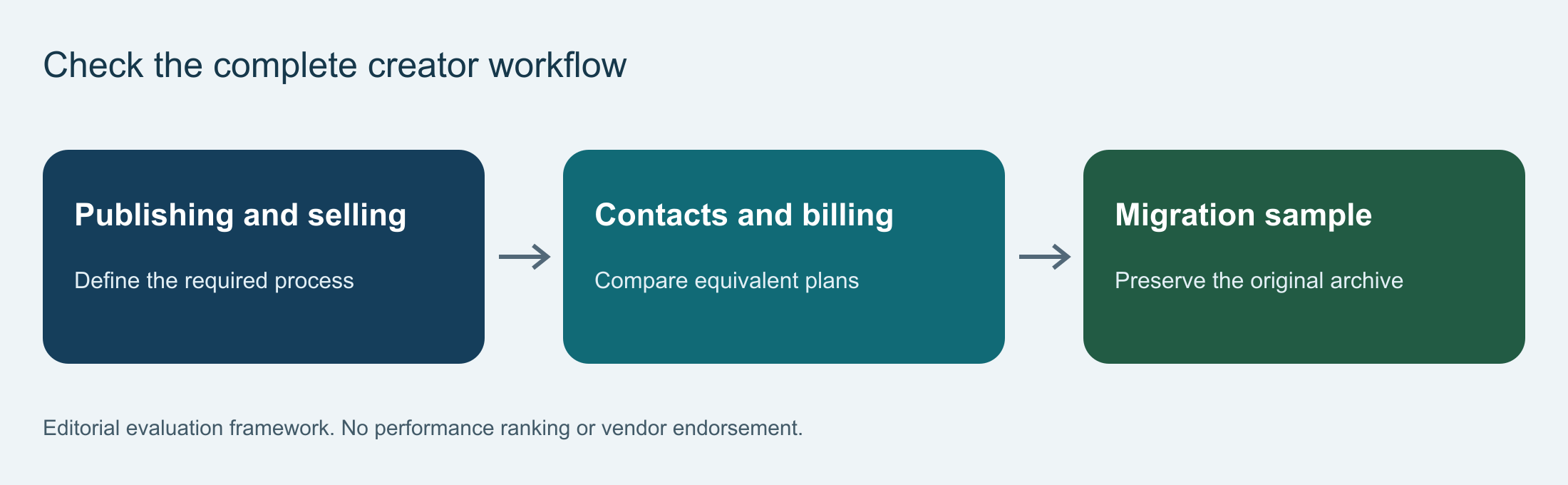
Build one cost sheet for all three platforms. Use the same list size and record the billing cycle, user seats, send volume, automation needs, and paid add-ons. Keep starter discounts separate from the regular renewal rate.
Include the cost of switching tools. Count staff hours, template rebuilds, form swaps, and testing time. If you sell through the platform, compare transaction fees alongside the monthly email bill. Save the dated quote and plan rules that match your list.
Prices shift with contact counts, billing terms, promos, and account status. Confirm those details before you call one platform cheaper. For deeper checks on AWeber tiers, read our AWeber review.
Run a useful trial
- Create a test signup form and use email addresses you control.
- Check the confirmation message and the first welcome email.
- Test one tag rule or branch and one excluded contact.
- Read the test email on the phone and desktop apps your audience uses.
- Click the unsubscribe link and check what happens to later sequence emails.
Write down any bugs and the time needed to fix them. A clean test preview confirms your setup. One test message reaching your own inbox does not measure platform-wide inbox placement.
Plan the migration
List all forms, sequences, templates, links, and connected apps before you move. Keep a full backup export and write down which consent and suppression fields must transfer. Check the new provider’s import rules before you upload your list.
Plan the cutover so subscribers do not get duplicate emails. Test the new forms and store links before you remove the old ones. Leave time to watch the first live sequences and fix errors before you move every campaign.
Questions about creators and migration
Are Kit and ConvertKit different services?
No. Kit is the current name of ConvertKit. Use current Kit help docs when you check plans or app links, even when an older guide or URL still says ConvertKit.
\n
Should every creator move to Kit?
No. Check the sales and publishing steps you actually run. A working AWeber or Mailchimp setup may already cover them. Add up the time needed to rebuild forms, sequences, and payment links before you switch.
Does unsubscribed mean a contact stops counting toward a bill?
Not always. Check each provider’s contact billing rules for your exact tier. Mailchimp documents cases where unsubscribed and non-subscribed records count toward monthly contact limits. Keep your required suppression and consent records intact when you clean your list.
Make the decision
Choose the platform that runs your required sequence at a verified total cost, with a setup and move your team can handle. Staying with your current tool makes sense when switching does not solve a specific problem.
The linked vendor docs support the feature facts in this guide, while the trial and move steps are editorial checklists. We claim no purchased plan, live deliverability test, or guaranteed cost saving. Recheck current plan limits and terms before you pay.
For more comparisons across email tools, visit our email marketing hub. Once you pick a plan, our AWeber list-building guide walks through setting up your first form and welcome email.
Continue with the matching review or setup guide
- AWeber Review: Who It Fits and Which Plan to Choose
- How to Build an Email List with AWeber: Form to Welcome Email
- Email Marketing Hub: Reviews, Setup Guides and Comparisons
View AWeber plans. Check the final plan, billing cycle, and account terms before you start a subscription.
The plan details in the buying summary were checked on 30 October 2026: AWeber plan comparison. Detailed setup sources were reviewed on 29 October 2026. This article is based on documentation and does not report a completed account trial or guarantee a result.
Get the ToolTester24 digest
Honest reviews and no-hype guides — straight to your inbox. No spam, unsubscribe anytime.
Some links in our articles are affiliate links. See our full Affiliate Disclosure for details.