Table of Contents
Disclosure: This review contains affiliate links. If you sign up through our links, ToolTester24 may earn a commission at no extra cost to you. We test and evaluate software independently.
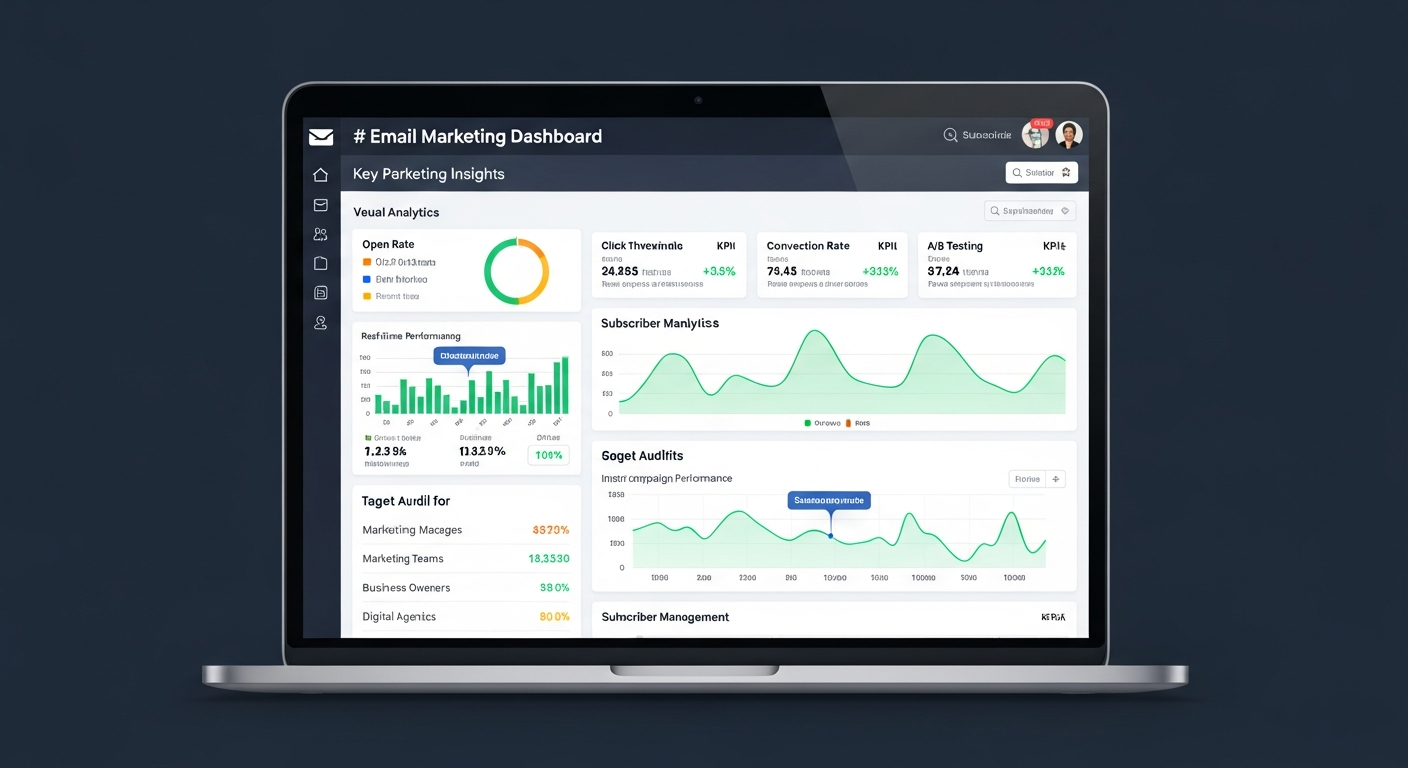
AWeber is one of the oldest names in email marketing. For over twenty years, it has helped small firms send email updates. Most software startups fade fast. AWeber has stayed in the game for a long time.
Still, age alone does not pay your monthly software bill. In 2026, small business owners can pick from dozens of modern email tools. Newer rivals offer clean menus, free plans, and fairer billing rules.
So where does AWeber stand today? Does it still rank among the best email marketing software for small businesses? Or do you just pay extra for an old brand name?
In this review, we test how AWeber works in daily use. We look at list rules, the email editor, workflows, support, and billing. That way, you can see if it fits your team in 2026.
Who AWeber Is Built For (And Why Teams Still Pick It)
Most small business owners hate spending weeks on a complex marketing cloud. They just want a simple signup form on their site. They want to send a welcome guide to new readers. Then they want to mail a weekly update to buyers.
AWeber focuses on that core routine. Big enterprise tools pile on heavy data menus and complex tracking. AWeber keeps its dashboard focused on broadcasts, sequences, landing pages, and forms.
Three clear strengths keep users on the platform:
- Live human support. You can reach real staff by phone, live chat, or email. If your DNS fails before a launch, a real person helps you fast. Many cheap rivals only offer slow ticket queues or bots.
- Fast design tools. Built-in Canva access lets you make clean graphics inside the editor. You also get a large library of free stock photos.
- Wide app support. AWeber has been around for decades. Almost every WordPress plugin, cart, and webinar tool connects to it right away.
List Management and Subscriber Billing Rules
First, you must learn how AWeber stores and bills your contacts. This rule is the biggest gap between AWeber and newer rivals.
List-Based Setup vs. Tags
In the past, AWeber put contacts into separate lists. You might make one list for blog readers and one for buyers. You might also make a third list for event guests.
Today, AWeber supports Tags inside each list. You can keep everyone in one main list instead. Then you add tags like newsletter, lead-magnet, or customer to group people. Using one main list with tags is the smartest setup in AWeber.
How AWeber Counts Contacts Toward Your Bill
Watch how AWeber counts your contact total. Some tools only bill you for active contacts who want your emails. AWeber has long counted unsubscribed contacts and duplicates across lists until you delete them.
Say you keep one person on three separate lists. That single email address can count three times toward your plan limit. Also, when people opt out, their records stay in your account. They still count unless you delete unsubscribed contacts on a set schedule.
To keep your costs low, follow two simple habits from day one:
- Keep one master list. Use tags and segments to group contacts by topic or action.
- Delete opted-out contacts often. Clear out dead records so they do not push your bill higher.
Want a step-by-step setup guide that avoids duplicate list traps? Read our guide on how to build an email list with AWeber.
Creating Emails: Templates, Canva, and the Drag-and-Drop Editor
AWeber gives you three ways to build a broadcast or sequence email:
- Drag-and-Drop Builder. A visual block editor for text, images, buttons, videos, products, and links.
- Plain-Text Editor. A simple mode for sending personal text emails without HTML style.
- Custom HTML Editor. Built for teams and coders who write their own layouts from scratch.
Using the Visual Builder and Smart Designer
The drag-and-drop builder feels simple if you know modern email tools. You drag blocks onto a single-column or multi-column page. Then you change fonts, colors, and spacing in the side menu.
Two features speed up weekly email work:
- Canva Inside the Editor. You can open Canva right inside an AWeber image block. Design a header banner or product image there. Then drop it straight into your draft without saving files to your computer.
- Smart Designer. Type in your website URL. AWeber scans your logo, brand colors, and fonts to build starter templates for you.
Still, the editor has a few quirks. Some older templates in the AWeber library look dated today. Stick to the modern clean layouts instead. Even better, build one clean master template with your own header and footer. Then copy that master draft each week.
Automation Workflows: Campaigns and Autoresponders
In AWeber, email sequences live under the Campaigns tab. You build flows using a vertical canvas where each step runs in order.
A campaign starts with one of two main triggers:
- On Subscribe. Starts when a person joins your list through a form or import.
- Tag Applied. Starts when a tag is added from a form, link click, or cart.
Once a contact enters the flow, you can stack four core actions:
- Send a Message. Mail an email from your sequence.
- Wait. Pause for a set number of minutes, hours, days, or weeks. You can also wait for specific days of the week.
- Apply or Remove Tags. Change tags after a contact opens an email or clicks a link. You can also change tags when they finish a sequence.
- Check Feed. Pull new blog posts from an RSS feed. Then send automatic blog digests to your readers.
Where AWeber’s Workflows Work Well (And Where They Stop)
AWeber handles a basic lead magnet sequence or a five-day email course well. It also runs post-purchase welcome series without trouble. You can tag readers when they click a topic link in your email. That tag can then start a new follow-up sequence on that exact topic.
However, AWeber is not built for complex, multi-branch sales paths. Compared to deeper tools like ActiveCampaign, you will see clear limits:
- Basic split logic. You cannot build giant trees with dozens of If/Else splits on one canvas. Instead, AWeber uses tags to move people from one short campaign to another.
- No built-in lead scoring. You cannot add points for page visits, opens, and clicks to flag hot leads.
- No built-in sales CRM. AWeber sends emails well, but it lacks deal boards and sales task lists.
Landing Pages, Signup Forms, and Web Push Alerts
You do not need paid WordPress form plugins to capture leads with AWeber. The platform includes built-in lead capture tools on its plans.
Signup Forms vs. Landing Pages
AWeber’s native Sign Up Forms tool works fine, though the screen looks old. You can build inline forms or pop-ups for your site. Then you add them with a short script, raw HTML, or the WordPress plugin.
For a cleaner look, most users pick the Landing Page Builder. It uses a modern block editor for standalone opt-in pages and webinar pages. You can also make simple link-in-bio pages. You can link a custom domain and add tracking scripts. You can even take basic payments or recurring fees through Stripe.
AWeber also includes Web Push Notifications. Visitors can opt in to browser alerts on desktop and mobile. Then you can ping them when you post new blog articles or run a sale.
Inbox Reach, Domain Setup, and List Care
Good inbox reach depends on your email tool and your own list habits. AWeber runs its own sending servers and watches spam reports closely. That keeps its shared IP pools clean for normal senders.
When you link your custom domain, AWeber guides you through DKIM and DMARC setup. Gmail and Yahoo now enforce strict inbox rules for bulk senders. AWeber’s step-by-step wizard helps you finish domain checks in a few minutes.
AWeber bans bought lists and requires clear opt-in proof. Because of that rule, inbox placement stays steady for honest senders. You also get clear reports on opens, clicks, list growth, and reader locations.
AWeber Pricing and Plans in 2026: What to Expect
AWeber bases its price on your total contact count across several plan tiers. It starts with a small Free tier and scales up through paid plans. The main paid plans are Lite, Plus, and Unlimited for large senders.
Here is how the plans split core features:
- Free Tier. Lets new users test AWeber up to a small contact and monthly send cap. It includes basic support plus one list and one landing page.
- Entry Paid Tier (Lite). Raises contact caps and gives you unlimited monthly sends for your tier. It also includes basic workflows and support.
- Full-Featured Tier (Plus). Opens full workflows, removes AWeber badges, and adds deeper reports. It also lowers fees on Stripe sales.
- Unlimited Tier. Made for large lists that want a flat monthly rate above standard caps. It also includes personal account help.
Contact brackets, free plan caps, and monthly or yearly rates change over time. Always check the current pricing page before you buy. You can see the latest plan limits on AWeber’s official website.
Pros and Cons Summary
What We Like
- Fast human support. Live phone and chat help save hours when tech issues pop up.
- Wide app support. Links directly with hundreds of WordPress plugins, carts, and member tools.
- Built-in Canva and photos. Speeds up weekly newsletter design without extra graphic tool costs.
- Steady autoresponders and RSS. Great for bloggers who want automatic blog digests and simple tag flows.
Where It Falls Short
- Contact billing rules. Opted-out contacts and list duplicates can count toward your bill until deleted.
- Simple split logic. Complex paths require linking several tag campaigns instead of one big visual map.
- Mixed screen age. The email and page builders look modern, but the form tool feels old.
- Entry plan limits. The Lite plan limits deep reports and keeps AWeber badges on your emails.
How AWeber Compares to Top Alternatives
Before you lock in a yearly plan, compare AWeber with its closest rivals in 2026. For a full three-way test, read our guide to AWeber vs MailerLite vs GetResponse.
- AWeber vs. MailerLite. MailerLite has a cleaner interface and true If/Else splits in its visual builder. It also only bills you for active contacts. AWeber wins if you want phone support, Canva inside the editor, and older plugin links.
- AWeber vs. GetResponse. GetResponse adds webinar rooms, sales funnels, and deeper visual workflows for course sellers. Weighing beginner tools? Check our guide to GetResponse vs MailerLite for beginners.
- AWeber vs. Kit (formerly ConvertKit). Kit is built for creators who want a simple tag and sequence setup. AWeber offers more visual templates and live phone support.
- AWeber vs. ActiveCampaign. ActiveCampaign wins on deep behavior tracking, lead scoring, and built-in CRM boards. However, it is much harder to learn than AWeber.
Final Verdict: Is AWeber Still Worth It in 2026?
AWeber is no longer the default pick for every new newsletter. Newer tools like MailerLite offer fairer contact billing and visual splits for less money.
Still, AWeber remains a steady tool for many small businesses. Do you want live phone support when you get stuck? Do you rely on older WordPress or cart plugins? Do you send RSS blog digests and simple tag sequences? If so, AWeber will serve you well in 2026. Just keep everyone on one master list with tags. Also, delete opted-out contacts often so your monthly bill stays low.
Frequently Asked Questions (FAQ)
Does AWeber still have a free plan in 2026?
Yes, AWeber has a free starter tier for small lists. It caps your total contacts, monthly email sends, lists, and workflows. Free plan limits can change, so check the current pricing page on AWeber’s site.
Does AWeber charge for unsubscribed contacts?
Yes. Opted-out contacts and duplicates across separate lists can count toward your billable limit. Keep everyone in one master list with tags to avoid extra fees. Then delete unsubscribed contacts from your account on a regular schedule.
Is AWeber good for beginners?
Yes. The drag-and-drop editor, Canva tool, and live phone support make setup easy for beginners. You can launch your first form and welcome series without hiring a coder.
Can I use AWeber without a website?
Yes. You can build standalone landing pages and signup forms hosted by AWeber. That lets you collect leads and send emails right away. Still, you should use a custom domain email address for strong inbox placement.
Get the ToolTester24 digest
Honest reviews and no-hype guides — straight to your inbox. No spam, unsubscribe anytime.
Some links in our articles are affiliate links. See our full Affiliate Disclosure for details.