Gamma AI Review 2026: Honest Take on the AI Presentation Tool

!Gamma AI review 2026 dashboard generating a presentation deck from a text prompt

Last updated: 2026-05-13

> Why trust this review. James Wilson is a SaaS reviewer with 8+ years testing web tools and hosting platforms for tooltester24.com. This review is research-only, built on Gamma’s public pricing, third-party benchmarks, and aggregated user feedback. No paid placement.

Affiliate disclosure: This article contains affiliate links to tools mentioned for related workflows (hosting, email). Gamma itself is not an affiliate partner. Recommendations are independent of commission.

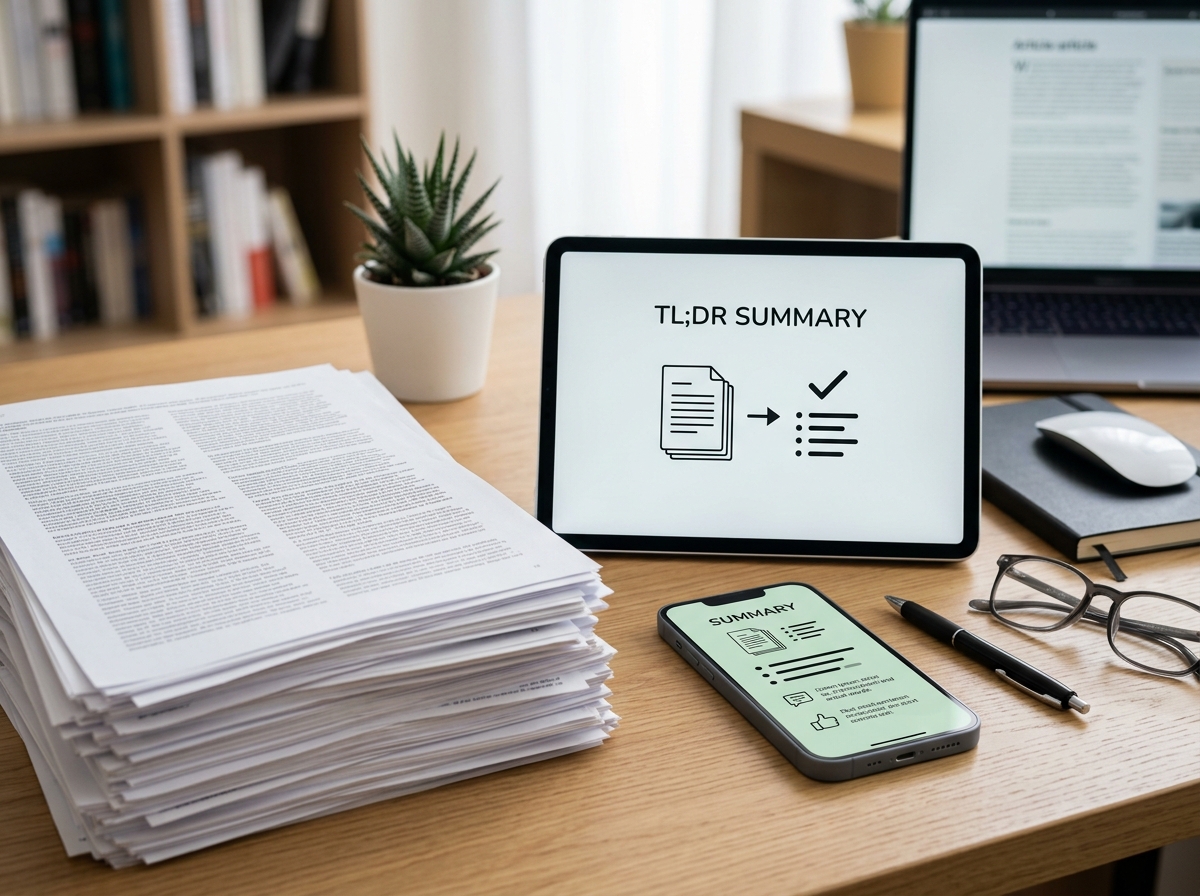
TL;DR

  • Gamma AI is the fastest way in 2026 to go from a text prompt to a finished, web-native presentation, document, or microsite.
  • The free plan gives you 400 one-time credits and Gamma branding on outputs. A typical 10-slide deck eats 80 to 150 credits. [source: hackceleration 2026]
  • Paid tiers start at €8 per month (Plus) and climb to €77 per month (Ultra) when billed annually. [source: hackceleration 2026]
  • The strongest reasons to choose Gamma: speed, web-native polish, and the free plan being genuinely usable.
  • The strongest reasons to skip Gamma: PowerPoint exports lose interactive elements, AI generation is English-only, and there is no native Google Drive integration.
  • Verdict: best for solo creators and small teams shipping web-shared decks. Choose Canva or Beautiful.ai if brand kits, .pptx fidelity, or Google integration matter more.

What is Gamma AI?

Gamma AI is an AI-first presentation, document, and webpage builder that turns a text prompt into a finished deck in under a minute. This means non-designers can produce a shareable, web-native presentation without opening PowerPoint or Keynote.

Gamma launched in 2016 and added AI generation in March 2023. That single feature change pulled the company from a small product into a 10 million user base in nine months. As of late 2025, Gamma reports 70 million total customers and 600,000 paying subscribers, with $102M ARR and a $2.1B valuation after an Andreessen Horowitz round.

The product covers four output types in one editor: presentations, documents, websites, and social posts. You start with a prompt, an outline, or a paste-in of existing text. Gamma generates the structure, writes content, picks layouts, and adds images. You then edit on a card-based canvas (each card maps loosely to a slide) and publish either as a Gamma web link or as exported PDF / .pptx / .png files.

Who is Gamma AI for in 2026?

Gamma AI is best for solo founders, freelancers, and small teams who need to ship a polished deck or microsite in under an hour and share it as a link. This means anyone whose final output lives on the web (sales decks, pitch links, internal updates, course outlines) gets the most out of Gamma’s design.

Gamma is not ideal for enterprise teams that hand off to PowerPoint, agencies that need strict brand kits, or anyone working in non-English markets where AI assist must run in the local language.

Three user types where Gamma works well today:

  • Solopreneurs drafting investor decks, lead magnets, or course teasers.
  • Marketing managers who need a shareable one-pager that updates without re-exporting a PDF.
  • Consultants who want a clean web deck for a discovery call.

Three user types where Gamma will likely frustrate:

  • Corporate teams locked to .pptx as the final deliverable.
  • Designers who need pixel-level layout control.
  • Non-English creators who want AI assist in their language.

How does Gamma AI generate a deck?

Gamma generates a deck in three modes: generate from a prompt, paste in existing text and let it restructure, or import a file. This means you can start from zero, from a rough doc, or from an existing PDF / DOCX / PPTX.

The 2026 workflow looks like this:

1. Open the dashboard and pick “Generate” or “Paste in text” or “Import file”.
2. Choose presentation, document, or webpage as the output.
3. Type or paste your input. Gamma proposes an outline of 8 to 15 cards.
4. Edit the outline before generation if you want tighter control.
5. Pick a theme (color, font, layout density).
6. Generate. Gamma drafts content, picks images, sets card transitions.
7. Edit any card inline. Use the AI sidebar to rewrite, restyle, or extend specific sections.
8. Share as a Gamma link, embed, or export to PDF or PowerPoint.

The September 2025 launch of Gamma 3.0 added an “AI Agent” that can research a topic, pull in citations, and restyle the deck in one click. In practice this turns “Gamma generates a starting draft” into “Gamma can iterate the whole deck on your behalf,” though human review remains essential.

!Gamma AI pricing comparison Free Plus Pro Ultra 2026 plans annual billing

Gamma AI pricing 2026: Free vs Plus vs Pro vs Ultra

Gamma AI pricing in 2026 starts at $0 for the Free plan and rises to roughly $77 per month for the Ultra plan when billed annually. This means most solo users can produce a few decks each month without paying anything, while heavy users need at least Plus to remove branding and unlock more credits.

The current 2026 plan structure, from public Gamma pricing aggregated by independent reviewers:

| Plan | Annual price | Monthly credits | Cards per prompt | Branding removed | API access |
|——|————–|—————–|——————|——————|————|
| Free | $0 | 400 one-time | 10 | No | No |
| Plus | ~$8/mo | 1,000 | 20 | Yes | No |
| Pro | ~$18/mo | 4,000 | 60 | Yes | Yes |
| Ultra | ~$77/mo | 20,000 | 75 | Yes | Yes |

[source: hackceleration 2026 pricing breakdown]

A few caveats to weigh before you pick a plan:

  • The free plan’s 400 credits are a one-time allowance, not monthly. Once spent, you upgrade or stop.
  • Credit consumption is the lever that decides which plan you actually need. A typical 10-slide deck consumes 80 to 150 credits, and a 20-slide deck can hit 200 to 250. [source: hackceleration 2026]
  • That puts the Plus plan in the range of 7 to 12 presentations per month before you run out.
  • Pro adds API access, which only matters if you plan to automate generation from your own systems.
  • Ultra is positioned for power users or small agencies running 30+ decks per month.

If you handle sensitive presentations, keeping accounts secure matters more than the price difference. Pair Gamma with proper password managers so client decks do not leak through reused logins.

Gamma AI free plan: what you actually get

Gamma’s free plan is one of the most generous in the AI presentation category, but it is not unlimited. This means you can ship a few real decks at zero cost, then have to decide whether to pay or move to a competitor.

What is included on free:

  • 400 one-time AI credits.
  • Up to 10 cards per generation prompt.
  • All four output types (presentations, docs, webpages, social).
  • Web share links.
  • PDF and .pptx export.

What free does not include:

  • Removed Gamma branding (every shared link and exported file shows the Gamma watermark).
  • Custom branding (logo, brand colors, font kits).
  • Analytics on shared links.
  • API access.
  • Higher per-prompt card limits.

For a freelance pitch deck or a portfolio page, free is enough. For client-facing work where the watermark would look unprofessional, you have to upgrade.

What does Gamma AI do well in this 2026 review?

The strongest features in this Gamma AI review 2026 are speed, web polish, and multi-format output. This means Gamma earns its place in the AI presentation category mainly on workflow speed and on the modern look of shared web decks.

Prompt-to-deck speed. Gamma’s AI can turn a one-line prompt into a 10-card draft in roughly 60 seconds. For most users this saves the most painful step of starting from a blank slide. [source: slidespeak vs Canva comparison]
Web-native polish. Shared Gamma links feel modern. Cards have subtle animations, parallax on images, and clean transitions. This means a Gamma link sent to a hiring manager or client renders like a modern product page, not a static slide.
Multi-format output. One editor produces presentations, docs, webpages, and social posts. This means you can repurpose the same content into different formats without rebuilding from scratch.
Image generation included. Gamma generates and edits images inside the same flow, so you do not need to leave for a separate image tool. The 2025 release of AI image editing was a meaningful upgrade.
Editing is smooth. The card-based canvas is widely described as among the most intuitive in the AI presentation space. This means non-designers find it easier to fix the AI’s output than in most competitors.
AI Agent automation. Gamma 3.0’s Agent can research, cite sources, and restyle a deck in one click. This means you can ask “rebrand this deck for a finance audience” and get a usable revision in one pass.

Where does Gamma AI fall short in this review 2026?

The real limits in this Gamma AI review 2026 are PowerPoint export gaps, English-only AI, and missing Google integration. This means workflows that depend on .pptx fidelity, non-English audiences, or Google Drive will hit friction. None of these are dealbreakers for every user, but they matter for specific workflows.

PowerPoint export loses interactive elements. Gamma is web-first. When you export to .pptx, expandable sections, embedded content, and most animations break visually. The export “works well” for static cards but is “not a perfect mirror” of the web version. [source: hackceleration 2026] If your client demands a final .pptx, plan for cleanup work.
English-only AI generation. The AI assist is English-only. You can manually type other languages after generation, but you lose the main feature for non-English markets. [source: prezent 2026]
Generic AI output. Multiple reviewers and G2 users note that the AI’s prose can feel generic or repetitive without editing. This means you cannot ship pure Gamma drafts to a discerning audience.
No native Google integration. There is no built-in Google Drive, Docs, or Sheets connection. Teams working in the Google ecosystem have to export, upload, and reattach. [source: getalai 2026]
Credits run out. Heavy users burn through Plus-plan credits faster than expected. Real consumption math (80 to 150 credits per 10-slide deck) puts the Plus tier at roughly 7 to 12 presentations per month. [source: hackceleration 2026]
No workspace brand enforcement. Themes are picked per presentation. Larger teams cannot enforce a brand kit at the workspace level, which makes Gamma a weaker fit for agencies handling multiple client brands at once.
No real-time multi-cursor editing. Compared with Google Slides, Gamma lacks true simultaneous editing for multiple users on the same card. [source: hackceleration 2026]

Gamma AI vs Canva: which wins?

Gamma AI wins on speed and AI-first generation. Canva wins on brand kits, template variety, and Google integration. This means the right pick depends on whether your workflow is web-native (Gamma) or design-system-driven (Canva).

| Criterion | Gamma | Canva |
|———–|——-|——-|
| AI prompt-to-deck speed | Fastest in category, under 60 seconds | Slower, less AI-native |
| Free plan generosity | 400 credits, watermark | Free is generous, no watermark on most |
| Cheapest paid tier | ~$8 per month (Plus) | $15 per month (Pro) |
| Brand kits | No workspace enforcement | Strong, logo/color/font kits |
| Google integration | None | Native Drive, Docs |
| Template library | Modest, web-first | Huge, all formats |
| PowerPoint export fidelity | Mixed, animations drop | Better fidelity |
| Best for | Solo creators, web decks | Brand-heavy teams |

If you are evaluating broader marketing platforms for your stack, the Gamma vs Canva choice usually fits inside a wider question about where your content actually lives.

What are the pros and cons of Gamma AI?

The pros of Gamma AI in 2026 are speed, a generous free plan, and clean web output. The cons are PowerPoint export friction, English-only AI, and missing brand kits for teams. This means Gamma is a strong solo or small-team pick and a weaker enterprise pick.

Pros and cons summary

Pros:

  • Fastest prompt-to-deck workflow in the category.
  • Free plan is genuinely usable for solo work.
  • Web-shared decks look modern and load fast.
  • Multi-format output (deck, doc, webpage, social) in one editor.
  • Card-based editor is among the easiest for non-designers.
  • Plus plan ~$8 per month is the cheapest paid tier among major AI presentation tools. [source: slidespeak 2026]

Cons:

  • PowerPoint export loses interactive elements and some animations.
  • AI generation is English-only.
  • No native Google Drive, Docs, or Sheets integration.
  • Workspace-level brand enforcement is missing for teams.
  • AI prose needs human edit to avoid sounding generic.
  • Credits run out faster than the marketing implies.

When should you actually use Gamma AI?

You should use Gamma AI when your final output lives on a web link, not as a .pptx file. This means Gamma fits web-shared decks cleanly and forces compromises when the deliverable is a static slide file. This means Gamma fits the first case cleanly and forces compromises in the second.

Use Gamma when:

  • You need a sharable pitch link in an hour or less.
  • Your audience opens decks on a laptop or phone, not a projector.
  • You want one tool for decks, one-page sites, and lead magnets.
  • You are a solopreneur and the watermark cost ($8 per month) is fine.
  • You handle a steady volume of decks and want speed over pixel control.

Skip Gamma when:

  • The final deliverable must be a clean .pptx file.
  • Your team has a strict brand kit that must apply across every deck.
  • You work in a non-English market where AI assist matters.
  • You need real-time multi-user editing on the same slide.
  • You produce highly designed decks where layout precision drives credibility.

For follow-ups after a pitch, the deck itself is rarely enough. A short, well-segmented newsletter sequence converts more deals than another revision. Pair Gamma with MailerLite when you want a free-tier email tool to handle the second touchpoint without piling on cost.

!Gamma AI vs Canva head to head comparison table 2026 presentation tools

How Gamma compares to NotebookLM, Beautiful.ai, and Plus AI

Gamma is not the only AI presentation tool worth a look in 2026. A multi-tool comparison by Shareuhack scored Gamma highest on speed but flagged NotebookLM for research-heavy decks and Beautiful.ai for brand consistency.

Quick read on each alternative:

  • NotebookLM: better when the deck is grounded in a body of source documents. Weaker on pure web design.
  • Beautiful.ai: better when brand and template consistency outrank speed.
  • Plus AI: better if you live in Google Slides and want AI added in place.
  • Canva Magic Design: better when the deliverable is graphic-heavy and brand-locked.

If you also need a place to host the resulting websites Gamma generates, an entry-level Hostinger plan is a low-friction option that does not lock you into Gamma’s hosting.

FAQ

Is Gamma AI free?

Yes, Gamma has a permanently free plan with 400 one-time credits. This means you can generate roughly 3 to 5 presentations before having to upgrade or stop. [source: hackceleration 2026]

How much does Gamma AI cost in 2026?

Paid tiers start at roughly $8 per month for Plus, $18 per month for Pro, and $77 per month for Ultra when billed annually. [source: hackceleration 2026] Monthly billing costs more.

Can Gamma AI export to PowerPoint?

Yes, but with caveats. The .pptx file preserves cards and basic styling, but interactive elements, expandable sections, and some animations do not transfer. This means a final .pptx may need cleanup before client delivery. [source: slidespeak 2026]

Does Gamma AI work in non-English languages?

Partially. The interface supports multiple languages, but AI generation is English-only. You can manually edit cards in another language after generation. [source: prezent 2026]

What is the difference between Gamma and Canva for presentations?

Gamma is AI-first and fast, with web-native polish. Canva is template-first with stronger brand kits and Google integration. Pick Gamma for speed and web-shared decks, Canva for brand-locked corporate decks. [source: slidespeak vs Canva]

Is the Gamma free plan enough for serious work?

Only for one-off solo work. The 400-credit ceiling and the visible watermark make it hard to use for paid client-facing decks. Upgrading to Plus removes both blockers for about $8 per month. [source: hackceleration 2026]

Gamma AI review 2026 verdict: should you use it?

Winner: Gamma AI, if your decks live as web links. Gamma is the fastest, cleanest, and cheapest AI presentation tool for solo creators and small teams whose audience opens shared links. The Plus plan at roughly $8 per month is hard to beat on cost.
Choose Canva if your priority is brand kit enforcement and Google integration.
Choose Beautiful.ai if templated brand consistency matters more than raw speed.
Choose NotebookLM if your deck needs to be grounded in source documents.

For a wider catalog of tool reviews, keep an eye on the AI Tools pillar. The category is moving every quarter, and the right answer in November 2026 will not necessarily be the right answer today.

Alex Mercer, SaaS & Tools Analyst

Senior Software Reviewer & Tech Journalist

Alex Mercer has spent 8 years testing and reviewing software tools. With a background in product management and digital marketing, he provides hands-on, data-driven reviews to help businesses make smarter tech decisions.

Marcus Webb
Marcus Webb Lead Technology Editor

12+ years in web infrastructure and cloud computing. Former enterprise hosting manager. Leads our web hosting, VPN, and website builder reviews.

Specialties: Web hosting, cloud infrastructure, VPN services, website builders

Alex Mercer, SaaS & Tools Analyst

Alex Mercer has spent 8 years testing and reviewing software tools. With a background in product management and digital marketing, he provides hands-on, data-driven reviews to help businesses make smarter tech decisions.

We will be happy to hear your thoughts

Leave a reply

Shopping cart