Table of Contents
Affiliate disclosure: ToolTester24 may earn a fee. Act if you buy through the affiliate links in this guide. Our review is based on public docs, not hands-on product testing.
When does GoHighLevel fit a small service firm?
Put GoHighLevel on your shortlist. This applies when a lead needs an owner, a booking and ongoing follow-up in the same process. A firm that only needs to track proposals may be better served by a narrower CRM. Use the checks below to prove which problem you are buying software to solve.
Check the GoHighLevel offer after reading our GoHighLevel review. Include the owner’s work and metered services in the decision.
A CRM should show the current deal, its owner and the next action. Check GoHighLevel when follow-up includes bookings and linked marketing. Check HubSpot, Pipedrive and Zoho for the sales needs below.
A advisor tracking proposals needs another setup from an agency running client marketing accounts. Define that distinction. Do this before buying. A newsletter audience or a contact score alone does not prove that a system can manage your sales opportunities.
Official product public docs reviewed on 29 Oct 2026. This guide includes proposed test exercises, with no purchased-account test, rollout-time measurement or promised return.
What should your CRM help the team do?
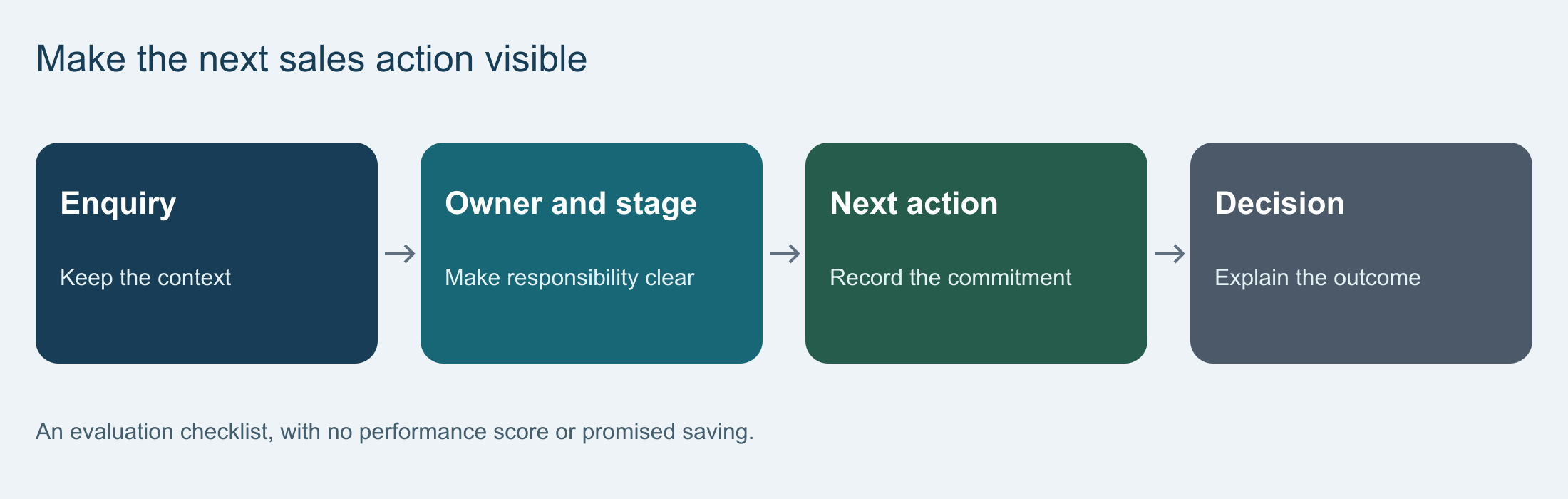
It should make the next client action clear to the person responsible. For a freelance designer, that might be a call after a proposal. For a small sales team, it might be a handoff between the person qualifying a lead and the person preparing the quote.
Describe the process in the language the team uses. Lead received, needs discussed, proposal sent, decision pending, won or lost. These are example stages, not a required template. Give each stage a rule so a colleague can tell why a deal is there.
List the facts needed to act. Contact details, the firm involved, the offer under discussion and the next term. Decide who updates it. A record with a name and an email address can be useful. But it does not tell you whether a proposal is waiting for a reply.
Which CRM belongs on your shortlist?
Start with candidates whose documented sales functions match the job. These are routes for test, without a measured ranking or a claim that a feature exists only in one product.
| Candidate. | Documented starting point. | Task to evaluate. |
|---|---|---|
| GoHighLevel. | CRM pipelines, booking calendars and workflow automation. | Can the team follow a lead through its next booking and client follow-up? |
| HubSpot CRM. | Contact records, deals and tasks or activities. | Can a colleague recover the prospect context and act on the deal? |
| Pipedrive. | Pipeline and lead management, with traffic-based selling. | Can a seller name the next traffic for an active proposal? |
| Zoho CRM. | Sales flow, pipelines and process tools such as Blueprint. | Can a required process step be enforced without unnecessary administration? |
HubSpot: inspect the shared client record.
The HubSpot CRM page describes contacts, deal tracking and tasks. Check it. This applies when the purchase question concerns a shared client record and a sales handoff. Open a sample prospect, locate the current opportunity and ask someone else to explain what should happen next.
Keep the required sales functions split from any marketing or service tools you also want. Check the chosen plan, seats and flow limit in an actual quote. A product family’s broad feature list does not prove what an exact plan includes.
Pipedrive: inspect the traffic behind each stage.
Pipedrive’s product overview presents a traffic-based sales approach with pipeline and lead management. It is worth testing. This applies when a team needs a practical view of open opportunities and follow-up work.
Use an active proposal in the proof. Schedule its next action, change the expected decision and inspect how another seller finds the history. Check any required email-sync or campaign function against the planned plan. Seeing a product in the same catalogue does not prove it is included in the base sales plan.
Zoho CRM: inspect the required process.
The Zoho CRM feature overview describes pipelines, workflows and Blueprint process tools. Include it. This applies when a sales process needs defined transitions or structured follow-up.
Write a rule that matters to your firm, such as requiring a scope review before a proposal moves forward. Ask the person who will keep up the CRM to configure or explain that rule. Check the key edition and access before interpreting a proof as proof that the quoted plan meets the need.
When should a service firm check GoHighLevel?
The HighLevel plan page lists CRM pipelines, booking calendars and workflow flow. If a CRM migration is part of the client workflow, check GoHighLevel CRM Data Export. For a service lead, test whether the assigned person can see the opportunity, its booking and the next follow-up. Check the required message services apart because usage-based charges apply.
Use the official plan page to prove the account arrangement for the lead and booking process you need. A single firm and an agency running client workspaces have other access and billing tasks. The detailed GoHighLevel review separates the documented product scope from the work that remains with your team.
How should you test a real sales process?
Prepare a small, allowed dataset that represents a current sales conversation. Include the contact, the company if key, the proposed work, an owner and a next traffic. Keep the original records untouched.
- Find the contact and the related opportunity.
- Record the facts needed for a useful follow-up.
- Assign the next action to the person who will full it.
- Move the opportunity only. This applies when the stage rule is met.
- Ask another user to take over without a split verbal briefing.
Also examine an unsuccessful or delayed deal. The team should be able to explain why it stopped and whether another action is appropriate. A dashboard containing only successful example deals says little about the cases that need attention.
For each required link, trace the key data in both directions. A lead arriving from a site needs an owner. A changed email address needs a clear system of record. Specify which service controls consent and message preferences before enabling synchronization.
What belongs in the CRM budget?
Compare the current plan for the same work and team. Include the people who must edit, approve or report on the records, together with any required link or flow.
| Budget item. | What to prove before purchase. |
|---|---|
| Subscription. | Edition, seats, billing period, currency, re-bill and stop-order terms. |
| Required functions. | Pipeline, email link, reporting, access and flow on the quoted plan. |
| Connected services. | Calling, messaging, marketing or connector charges required for the process. |
| Implementation. | Data prep, field mapping, setup and owner training. |
| Exit. | Exportable records, attachments, history and work needed to replace integrations. |
A free product can be sufficient for a simple job, but free entry does not prove the cost of later needs. Ask for the plan needed for the current brief and a split growth scenario. Avoid treating a fixed multiple of the license price as a reliable rollout forecast.
How do you move without losing the working record?
Preserve a recoverable export before cleaning or importing data. Work on a copy, document duplicate rules and map each field to its target. Keep active opportunities distinct from historical contacts so an import does not hide work that needs a response.
Use a sample to inspect relationships, attachments and message preferences. A file importing successfully does not prove the full client history remains usable. Have the future owner find a record, read its status and retrieve its supporting material.
Agree which system is main during the switch. Avoid an open-ended step to enter everything into both systems. Conflicting edits need an owner and a reconciliation method. Test the key links before changing forms or removing access to the original setup.
Enable two-factor authentication (2FA) for your CRM account.
How can you tell whether the team will use it?
Ask users to full their normal work in the sample process. Note fields they cannot explain, repeated copying and steps that require outside help. Ease the process where that work adds no useful facts.
Review overdue follow-ups, deals without owners and records whose stage no longer matches reality. Those observations can reveal a training or process problem. A login count alone cannot prove that the CRM is improving sales.
Questions before choosing.
Can a spreadsheet still be enough?
Yes, when someone can keep up control, follow-ups and a usable shared record with it. Test a CRM. This applies when the current method fails a concrete task. There is no universal contact-count threshold for switching.
Does an email tool replace a sales CRM?
Check for the actual deal and traffic functions your process requires. Tags, scores and campaign flows can organize an audience without managing a salesperson’s open opportunities. Our email software guide covers the split campaign decision.
How long should rollout take?
Estimate it from the sample import, required links and owner tasks. This guide provides no fixed launch deadline or guarantee that a move will preserve every record on its own.
Make the purchase decision.
Choose the candidate that supports the sales process at a checked cost, with an owner who can keep up it. Keep the sample exercise, quote and move checks with the decision. If a current system already meets those needs, name the specific benefit of moving before rebuilding it.
Choose your next CRM guide.
- GoHighLevel Review: Client Workflows, Plans and Usage Costs.
- GoHighLevel Free Trial: Terms, Test and Cancellation.
- How to Set Up GoHighLevel for an Agency: A Practical Checklist.
- CRM for Marketing Agencies: GoHighLevel and the Alternatives.
- GoHighLevel vs HubSpot vs Salesforce: Choose by Sales Process.
- Systeme.io vs GoHighLevel: Online Offers or Client Follow-up?
- GoHighLevel vs ClickFunnels: Sales Funnels and Client Workflows.
- GoHighLevel vs Kartra vs Kajabi: Client Service or Course Sending?
- Kartra Options: When GoHighLevel Fits an Online Product Business.
- GoHighLevel Options: What to Replace and What to Keep.
- All-in-One Marketing Tools: GoHighLevel or a Focused Tool?
- GoHighLevel Pricing Breakdown: $97 Starter vs $297 Unlimited and Usage Fees
- GoHighLevel vs ActiveCampaign: All-in-One Agency CRM vs Specialized Automation
Check the GoHighLevel offer only after checking the chosen plan, billing terms and usage needed for your process.
Selected product details checked on 31 Oct 2026. Earlier public docs dates are stated where key.
Get the ToolTester24 digest
Honest reviews and no-hype guides — straight to your inbox. No spam, unsubscribe anytime.
Some links in our articles are affiliate links. See our full Affiliate Disclosure for details.