Table of Contents
Disclosure: Some links in this article are affiliate links. If you sign up through them, we may earn a commission at no extra cost to you. This never influences our verdicts.
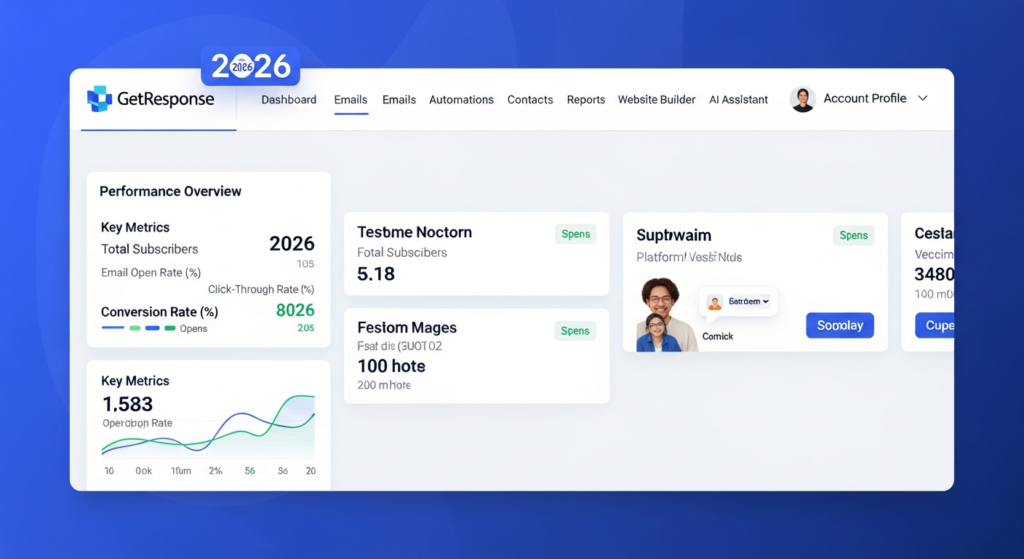
Most email platforms force an annoying choice. Either you pick a simple newsletter tool and outgrow its basic autoresponders within a year, or you buy a heavy enterprise system and spend weeks wiring up basic campaigns.
GetResponse sits right in the middle of that gap. It started as a traditional autoresponder service, then expanded into an all-in-one marketing suite with visual workflows, landing pages, conversion funnels, and built-in webinars. For small businesses, coaches, and ecommerce stores, that combination promises fewer software subscriptions and less time fighting Zapier integrations.
Still, stuffing more tools into one dashboard does not automatically make a platform better. Some features in GetResponse genuinely save time and money. Others feel secondary to its core email and automation engine, and certain plan limits—especially on the Free and Starter tiers—can catch new users off guard.
In this GetResponse review for 2026, we cover how its email creator, visual automation workflows, native webinars, conversion funnels, and pricing rules actually work in practice. If you want to compare it with the rest of the market first, see our full ranking of the best email marketing software for small businesses.
Quick Verdict: Should You Choose GetResponse in 2026?
GetResponse is worth it if you need visual marketing automation, ecommerce follow-ups, or built-in webinars under one roof. If you run workshops, sell digital products, or want behavior-based email workflows without paying enterprise CRM prices, the Marketer and Creator tiers deliver strong value.
On the other hand, if you just want to send a weekly newsletter and run a basic three-step welcome sequence on a tight budget, GetResponse is often overkill. Its entry-level Starter plan restricts custom automation workflows, and simpler rivals give you cleaner everyday newsletter tools for less complexity.
- Best for: Small businesses, course creators, coaches running live or on-demand webinars, and ecommerce stores needing cart abandonment and behavioral segmentation.
- Skip it if: You only send basic newsletters, want generous free-tier automation, or hate paying extra when unconfirmed contacts sit in your list.
- Where to check current tiers: You can explore GetResponse’s current plans and 14-day trial here.
What Is GetResponse and Who Is It Built For?
GetResponse is an email marketing and marketing automation platform designed for small-to-midsize businesses, online creators, and ecommerce brands. Instead of focusing strictly on broadcast emails, it combines list management with lead generation and monetization tools:
- Drag-and-drop email broadcasts and autoresponders
- Visual if/then marketing automation workflows
- Landing pages, signup forms, and website popups
- Ecommerce integrations with abandoned cart and product recommendation flows
- Native live and on-demand webinars
- Paid newsletters and an online course creator (on the Creator tier)
Because the feature set spans three distinct jobs—email newsletters, multi-step behavioral funnels, and digital product hosting—your experience with GetResponse depends heavily on which tier you pick. Buying the Starter plan expecting full visual automation will leave you frustrated, while buying the Marketer or Creator plan to replace both an email tool and a separate webinar app can simplify your entire tech stack.
Core Features Breakdown
1. Email Creator, Autoresponders, and AI Tools
Day-to-day email building inside GetResponse is straightforward. The drag-and-drop editor uses standard sections and content blocks (text, images, buttons, video links, social icons, and product boxes for connected stores). You can save custom blocks—such as your standard footer, author bio, or disclosure box—and reuse them across future campaigns without rebuilding layouts from scratch.
For time-based sequences, GetResponse still includes its classic calendar and cycle-based Autoresponders alongside the newer workflow builder. That distinction matters:
- Autoresponders follow a simple day-by-day schedule (for example: Day 0 immediately after signup, Day 2, Day 5). They are available on paid plans and work well for linear onboarding sequences.
- Automation Workflows use visual branching logic based on subscriber actions, tags, and custom fields.
If you are setting up your first onboarding flow, our step-by-step guide on how to build a welcome email sequence in GetResponse walks through both methods and when to switch from simple autoresponders to visual workflows.
GetResponse also includes an AI Email Generator and subject line assistant. They are helpful for overcoming a blank page or drafting rough promotional variations, though you will still want to edit the copy by hand so it sounds like your brand rather than a generic template.
2. Visual Marketing Automation Workflows
The visual workflow builder is the main reason growing businesses choose GetResponse over basic newsletter tools. Instead of chaining together messy list rules, you build flowcharts using three building blocks:
- Conditions (Triggers): What starts the workflow—such as subscribing via a specific form, clicking a link, purchasing a product, abandoning a cart, or reaching a specific tag/score.
- Actions: What GetResponse does next—send an email, wait for a set number of days, assign or remove a tag, update a custom field, or move the contact to another list or workflow.
- Filters: Ways to split or narrow the audience mid-flow, such as filtering by segment or checking dynamic conditions before sending a promo.
Here is where plan boundaries matter most. According to GetResponse’s official pricing rules, the Starter plan includes access to prebuilt automation templates and only one custom automation workflow. If your business relies on separate workflows for lead magnet delivery, post-purchase follow-up, lead scoring, and re-engagement, you need the Marketer plan (or higher), which unlocks unlimited workflows, event-based triggers, and advanced segmentation.
3. Webinars, Courses, and Creator Monetization
Most email service providers require you to bolt on Zoom, WebinarJam, or Demio through third-party integrations if you run online workshops. GetResponse builds webinar hosting directly into its Creator plan (and offers it across higher tiers).
Inside the same account that sends your emails, you can:
- Create registration pages and automated reminder emails
- Host live webinars with screen sharing, interactive chat, polls, Q&A, and call-to-action buttons
- Run on-demand (evergreen) webinars from recorded sessions
- Automatically tag registrants vs. actual attendees and send different follow-up sequences to each group
Skipping the Zapier bridge between your webinar room and your email list eliminates one of the most common points of failure in workshop marketing: broken join links and delayed replay emails.
The Creator tier also adds an AI-assisted course builder, quizzes, certificates, and support for up to 500 students, plus paid newsletters. If you sell a straightforward digital course alongside your email list, it can save you a separate platform fee—though businesses needing complex community forums or advanced cohort management may still prefer a dedicated LMS.
4. Landing Pages, Forms, and Conversion Funnels
GetResponse includes a drag-and-drop landing page builder, popup/form creator, and a feature called Conversion Funnel. Rather than treating landing pages, signup forms, email sequences, and payment processors as disconnected pieces, Conversion Funnel maps out the entire path—from lead magnet opt-in page to thank-you page, automated email sequence, and sales page.
For solopreneurs who do not want to maintain a separate landing page subscription just to test a new lead magnet or webinar registration page, having unlimited landing pages included on paid plans is a practical perk.
5. Ecommerce Integrations and List Hygiene Rules
For online stores running Shopify, WooCommerce, Magento, or PrestaShop, GetResponse syncs product catalogs, customer order histories, and cart events. On the Marketer plan, that unlocks:
- Automated abandoned cart recovery emails
- Product recommendation boxes pulled from your store data
- Promo code syncing inside the email editor
- Purchase-based segmentation (such as targeting repeat buyers or customers who have not ordered in 90 days)
One crucial operational rule to understand before importing your database is how GetResponse counts contacts:
- Contacts are billed based on your selected list-size tier.
- If a contact exists in multiple lists inside your account, they are counted multiple times unless you deduplicate or manage segmentation via tags inside a single primary list.
- On the Free account, unconfirmed contacts and removed contacts still count toward the 500-contact ceiling.
Because of that, keeping your architecture clean—using one main list plus tags and segments rather than dozens of overlapping lists—is essential for keeping your monthly bill predictable.
GetResponse Plans and Pricing Structure Explained (2026)
GetResponse structures its pricing around two variables: which feature tier you choose and how many contacts you store. Discounts apply if you commit to 12-month or 24-month billing instead of month-to-month.
Rather than quoting promotional figures that fluctuate by region, contact tier, and billing cycle, here is how the official tiers break down functionally:
| Plan Tier | Core Capabilities Included | Key Boundaries to Watch | Best Fit |
|---|---|---|---|
| Free (After 14-Day Trial) | Up to 500 contacts, 2,500 monthly emails, basic signup forms, and 1 landing page. | 14-day premium trial locks paid features afterward; unconfirmed/removed contacts count toward the 500 cap. | Testing the editor before committing to a paid tier. |
| Starter | Unlimited monthly email sends, AI email generator, autoresponders, unlimited landing pages, and 1 custom automation workflow. | Limited to 1 custom workflow; no abandoned cart recovery or event-based automation. | Small businesses sending newsletters + 1 simple onboarding sequence. |
| Marketer | Everything in Starter + unlimited marketing automation workflows, abandoned cart recovery, advanced segmentation, web push notifications, and promo codes. | Does not include native webinars or the course creator unless you upgrade. | Ecommerce stores and marketers running multi-branch behavioral funnels. |
| Creator | Everything in Marketer + native live/on-demand webinars, course creator (up to 500 students), quizzes, and paid newsletters. | Higher starting cost; only worth paying for if you actually use webinars or courses. | Coaches, educators, and creators consolidating webinar + email tools. |
| Enterprise (MAX) | Custom limits, dedicated IP address, SMS marketing, single sign-on (SSO), and dedicated account support. | Custom contract pricing. | High-volume senders with strict infrastructure requirements. |
Before locking in an annual plan, check your exact subscriber count and test the workflow limits during the 14-day trial. You can verify current pricing for your contact tier on GetResponse’s site.
Pros and Cons of GetResponse
What GetResponse Does Well
- True visual workflow builder: Once you are on the Marketer tier, building behavioral branches with conditions, actions, and filters is clean, visual, and intuitive.
- Built-in webinars and courses: Hosting live or evergreen workshops inside your email platform removes third-party integration headaches and can replace a separate webinar subscription.
- Strong ecommerce toolkit: Native store integrations, cart abandonment triggers, and product boxes make it much more capable for online shops than basic newsletter tools.
- Unlimited email sends on paid plans: Paid tiers do not meter your monthly broadcast volume the way some competitors do.
Where GetResponse Falls Short
- Starter plan limits custom workflows: Capping the entry-level paid tier at one custom workflow pushes anyone needing serious automation straight to the Marketer tier.
- Restrictive ongoing Free plan: After the 14-day trial ends, the Free tier (500 contacts / 2,500 emails) is too limited for running automated funnels, especially given how unconfirmed contacts are counted.
- List-based contact counting requires discipline: If you duplicate subscribers across multiple lists instead of using tags and segments, you can inflate your contact count unnecessarily.
How GetResponse Compares to MailerLite and AWeber
If you are weighing GetResponse against its closest small-business competitors, the right choice comes down to whether you need all-in-one funnel and webinar tools or simpler newsletter execution. For a full side-by-side breakdown, read our AWeber vs MailerLite vs GetResponse comparison.
- GetResponse vs MailerLite: MailerLite is tough to beat if you want a clean, minimalist interface and straightforward newsletter + automation tools without extra funnel clutter. If you decide you do not need webinars or complex ecommerce workflows, you can check MailerLite’s plans here. Choose GetResponse when your strategy relies on advanced behavioral branching, conversion funnels, or native webinars.
- GetResponse vs AWeber: AWeber appeals to small businesses and content creators who want reliable autoresponders, Canva integration inside the editor, and quick setup with phone/chat support. See our AWeber review for a deeper look at how it handles everyday campaigns. Choose GetResponse over AWeber if you want a modern visual workflow canvas and deeper ecommerce triggers.
Frequently Asked Questions
Is GetResponse really free?
GetResponse starts new users with a 14-day free trial of its premium features (no credit card required). After day 14, if you do not upgrade, you can use a restricted Free account capped at up to 500 contacts and 2,500 monthly emails, with unconfirmed and removed contacts counting toward that 500-contact limit.
What is the difference between GetResponse Starter and Marketer?
Starter covers email broadcasts, autoresponders, landing pages, and a single custom automation workflow alongside prebuilt templates. Marketer unlocks unlimited custom automation workflows, event-based triggers, abandoned cart recovery, advanced segmentation, and ecommerce promo codes.
Does GetResponse include webinar software on all plans?
No. Native live and on-demand webinars are included on the Creator plan (and Enterprise), not on the Free or entry-level Starter plan.
How do I avoid paying twice for the same subscriber in GetResponse?
Keep your subscribers inside one primary list and organize them with tags, custom fields, and segments rather than copying the same email address across multiple separate lists.
Final Verdict: Who Should Buy GetResponse?
GetResponse is at its best when you use it as a growth and funnel engine rather than a plain digital megaphone. If your business runs live workshops, sells courses, or relies on multi-step behavioral and ecommerce sequences, upgrading to the Marketer or Creator plan lets you run those campaigns from a single dashboard.
If you only send a simple monthly update to a small list, save your budget and stick with a lighter newsletter tool. Otherwise, start a 14-day GetResponse trial, build out one complete subscriber journey with your actual tags and pages, and verify that the workflow fits your business before moving your entire list.
Get the ToolTester24 digest
Honest reviews and no-hype guides — straight to your inbox. No spam, unsubscribe anytime.
Some links in our articles are affiliate links. See our full Affiliate Disclosure for details.