Table of Contents
Affiliate disclosure: ToolTester24 may earn a fee. Act if you buy through the affiliate links in this guide. Our review is based on public docs, not hands-on product testing.
GoHighLevel at a glance.
GoHighLevel deserves test when client follow-up and client sending are work you already manage. It needs a person responsible for setup, exceptions and costs. If the task ends at a newsletter or a simple proposal list, prove why you need the wider tool before subscribing.
View GoHighLevel’s current offer. Read the account and usage limits below. Do this before choosing a tier.
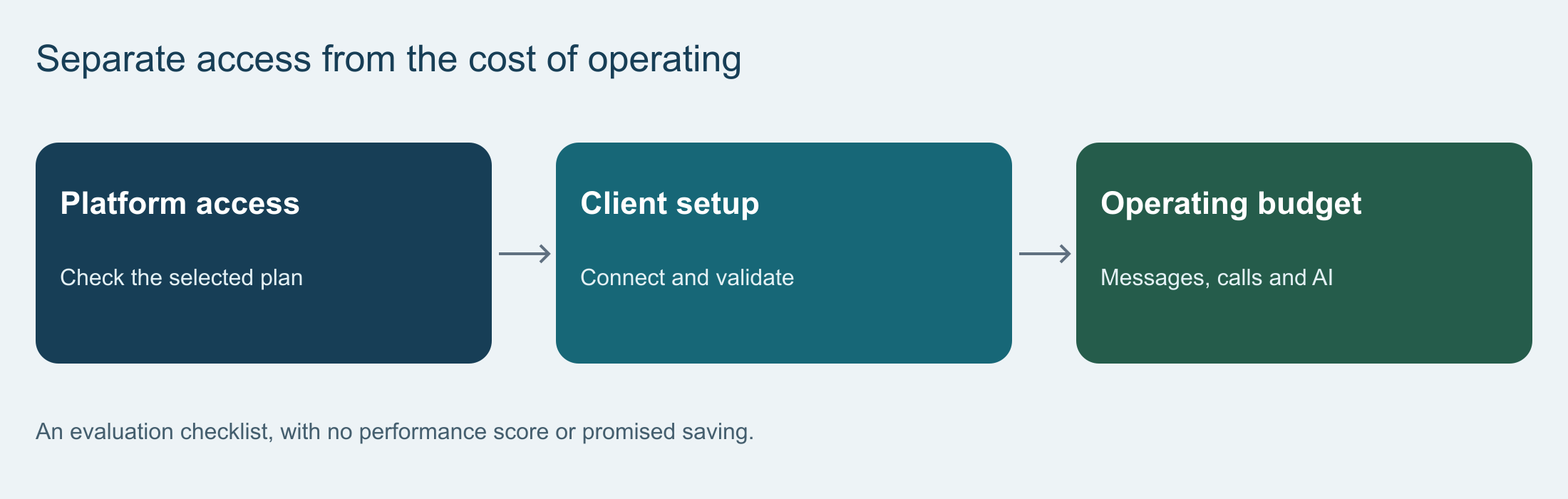
HighLevel, often searched for as GoHighLevel, combines client follow-up, booking and marketing tools. Messaging, calling and some AI services can create charges beyond the plan. Include them in the running budget.
Official public docs reviewed on 29 Oct 2026. This review reports no purchased plan, client campaign, call-handling test or speed rating.
Who should check HighLevel?
Consider it. This applies when a linked client path is the need. A service-firm example is a lead that needs a reply, a booking and a recorded follow-up. An agency version adds split client settings, access and billing tasks.
The official feature list includes CRM pipelines, booking calendars, forms, workflows and unified conversations. That makes HighLevel a candidate for this running model. It does not prove that its interface, reporting or exact link meets your needs.
Write down who owns the system. Do this before checking features. Someone needs to keep up the forms, respond when flow fails and review charges. If the firm only needs to track proposals, our small-firm CRM guide offers a narrower starting point.
What should you test in the client workflow?
Trace a lead through the work your team performs. Check that the contact reaches the planned account, someone is responsible for it and the next action remains visible. Add booking or campaign flow only. This applies when it supports that process.
| Task. | What to inspect in an approved evaluation. |
|---|---|
| Capture. | The form creates the planned record with the needed access information. |
| Follow-up. | The owner can see the conversation and the next required action. |
| Booking. | The open booking, confirmation and later changes behave as expected. |
| Automation. | Entry, terms, exit and failure handling match the actual firm rules. |
| Reporting. | The owner can trace a key result to its underlying record. |
Use approved content and test contact details. Check the path when someone declines, reschedules or asks for a person. A successful proof of the main path cannot prove how the exceptions will behave.
How do client accounts and Snapshots change the work?
Client client accounts make the account boundary part of the purchase decision. Decide which staff can see each client, who controls the linked numbers and domains, and how a departing client will receive the records they need.
HighLevel’s Snapshot documentation describes copying saved setup assets. It excludes contacts, bookings and conversation history, along with third-party account links. A Snapshot so needs a split data-move and link plan.
Before reusing a setup, inspect the target’s messages, forms and link settings. For the scheduling step after a lead enters the pipeline, consult GoHighLevel Appointment Booking. Remove the source client’s details and review conflicts before applying changes to a current account. The agency still needs to validate the loaded setup for the new firm.
What does the tool plan cover?
The reviewed public monthly selector lists Starter at $97, Uncapped at $297 and Founder at $497. Starter lists three client accounts. Meanwhile, Uncapped and Founder list uncapped client accounts. These are tool prices and account caps, not a full running bill.
| Plan. | Advertised monthly subscription. | Sub-account allowance. |
|---|---|---|
| Starter. | $97. | Three. |
| Unlimited. | $297. | Unlimited. |
| Founder. | $497. | Unlimited. |
Use the official selector to check the current offer, billing currency, taxes, billing period and features before purchase. Ask for a quote. Act if you need another arrangement. Do not treat the agency tool fee as a stated fee for every extra client.
Which running costs need their own budget?
The pricing and billing guide explains the Agency Wallet used for usage charges. Email, phone services and other enabled products need their own calculation. Some services are billed per enabled client location or by actual traffic.
Request rates for your planned destinations and workload. Include numbers, messages, calls, email sending and any required add-ons. Assign task for monitoring usage and choosing whether a client may incur more charges.
Rebilling passes a cost to a client. It does not prove that the agency never pays it. Check the plan and service-specific rules, payment collection and spending controls. If you intend to resell a branded service, check the precise branding and provisioning limit apart from a general claim of white-label access.
Compare the full setup with the tools you actually use today. Keep the cost of rebuilding forms and workflows in that calculation. No saving is proven by adding unrelated competitors’ headline plans together.
How should you test the AI features?
Choose a specific task and channel first. HighLevel’s Conversation AI routing guide lists SMS, email, Facebook, Instagram, WhatsApp, Live Chat and Chat Widget. Channel deployment depends on the linked target and routing settings. That list is not a promise that every channel is configured for your account. Agencies that also publish to those social accounts can compare per-seat and flat-tier pricing in Vista Social vs Hootsuite.
Keep conversational messaging, voice calls and agent flows split in the test. The AI pricing guide splits plan caps and pay-per-use work. Phone-system charges remain split from Voice AI coverage; Agent Studio Flow Agents are charged for usage across AI Employee plans. Free or uncapped labels can have fair-use terms.
For a proposed booking assistant, prepare a normal request, an unavailable booking and a question outside the approved service scope. Check. This applies when a person takes over and how staff notice a failed handoff. Check the booking record and message history, as well as the assistant’s answer.
Set a spending limit and review the current usage controls before enabling real client traffic. Keep a way to pause the auto path and keep manually. This review gives no accuracy, receptionist-swap or autonomous-success rate.
What should be checked before switching?
Inventory the current contact records, forms, calendars and workflows. Preserve a recoverable export and map the facts that must survive. Include consent and opt-out records, attachments and any key history in the sample you inspect.
Rebuild the key path with test details. Do this before moving every client. Check which system is main during the switch and how to avoid duplicate messages. Keep old access open until the agreed sign-off tasks pass.
The mobile app appears in the public feature list. But a listing does not prove parity with the desktop workflow. Ask the person who will use it on the move to retrieve a record and full a normal follow-up. Check their actual device and access.
Common purchase questions.
Should a newsletter firm start here?
Only. Act if the broader booking, account-management or follow-up work justifies it. For the campaign decision alone, check the needs in our email software guide.
Does the tool plan make all AI work free?
No. Inspect the specific AI product, user type, cap and usage policy. The AI pricing guide linked above names split charges and fair-use terms. Voice AI coverage also leaves phone-system charges to check.
Does a Snapshot copy the client’s live history?
No. The documented exclusions include contacts and conversation history. Plan data transfer and account links apart from copying setup.
How long will setup and training take?
Estimate it from the sample path and the owner’s tasks. This review has no measured training-time result or promise of a fixed rollout deadline.
When is HighLevel worth the term?
It is worth checking. This applies when the linked workflow and client-account model solve work you already need to manage. Retain it on the shortlist. Act if the owner can keep up that process, the quote includes the required limits and usage fits the budget. Choose a narrower setup when those extra tasks do not improve the job.
Choose your next CRM guide.
- GoHighLevel Free Trial: Terms, Test and Cancellation.
- How to Set Up GoHighLevel for an Agency: A Practical Checklist.
- CRM for Marketing Agencies: GoHighLevel and the Alternatives.
- GoHighLevel Options: What to Replace and What to Keep.
- Small-Firm CRM: GoHighLevel and the Alternatives.
Check the GoHighLevel offer only after checking the chosen plan, billing terms and usage needed for your process.
Selected product details checked on 31 Oct 2026. Earlier public docs dates are stated where key.
Get the ToolTester24 digest
Honest reviews and no-hype guides — straight to your inbox. No spam, unsubscribe anytime.
Some links in our articles are affiliate links. See our full Affiliate Disclosure for details.