Table of Contents
Affiliate disclosure: ToolTester24 may earn a fee. Act if you buy through the affiliate links in this guide. Our review is based on public docs, not hands-on product testing.
What happens after the funnel converts?
A working checkout and a maintained client process are split needs. Test the full path on the plan you would buy, with access sending, the responsible owner and client workspace access. Check whether your team needs a full client CRM or a focused checkout funnel before picking a plan.
Check GoHighLevel’s current offer when its client workflow is part of the need. Keep ClickFunnels on the shortlist when its actual proposal completes the job.
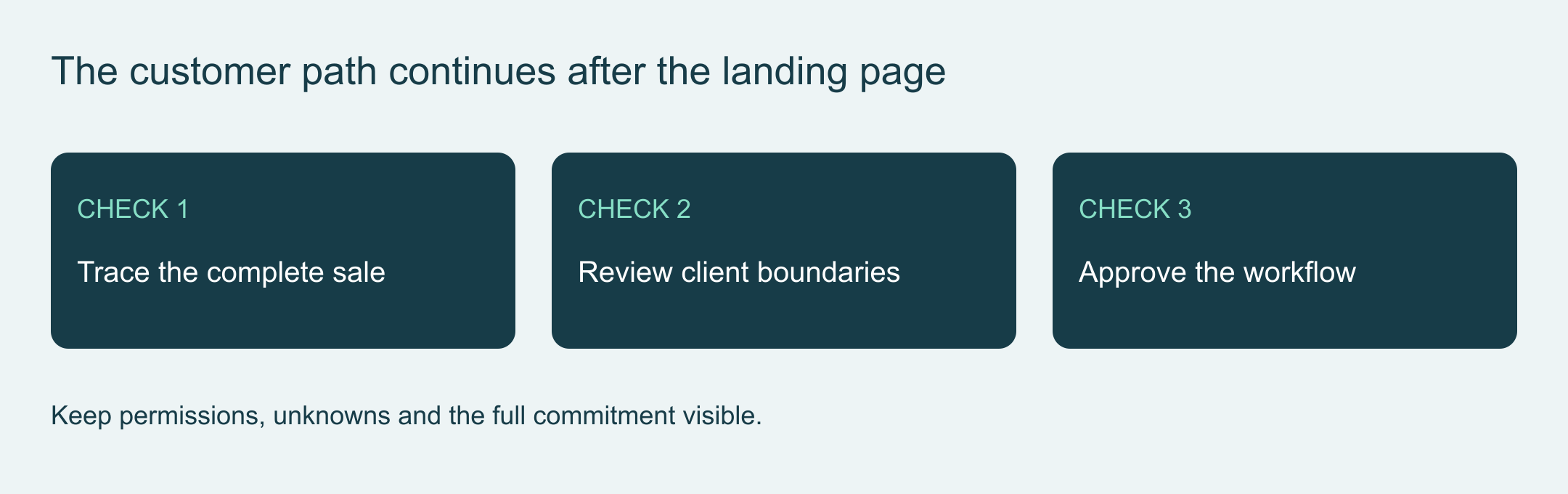
Start with the sale and the work after it.
Compare HighLevel and ClickFunnels around the client path you need. A course launch needs an offer, checkout and access sending. A service agency may also need an assigned lead, booking and ongoing client workspace. Both products overlap, so the decision needs a sample path rather than an auto agency-versus-creator winner.
This check uses public docs checked on 29 Oct 2026. No funnel, payment, account or campaign was configured or tested. There is no measured conversion, support, speed or revenue advantage.
Write the client promise and the handoff after purchase or booking. Name the account owner, who may revise the offer and who resolves a failure. A good-looking landing page is only one part of that process.
Compare current scope without old feature gaps.
| Requirement. | HighLevel starting point. | ClickFunnels starting point. |
|---|---|---|
| Offer and conversion path. | Website/funnel builder and payment-related tool features. | Funnel editor, checkout, A/B testing and course tools. |
| Records and follow-up. | CRM pipelines, conversations, calendars and workflows. | CRM description includes contacts, bookings and deals. Email/flow tools listed. |
| Client workspaces. | Plan-based client account arrangements. | Plan-based workspaces described as sub-accounts. |
| Commercial scope. | Check the tier, usage services and allowed resale/branding. | Check workspace, team, audience, sending and API allowances. |
Sources: HighLevel selector, ClickFunnels tool overview and ClickFunnels plan comparison. A listed feature is not a promise that every tier has the same limits. A workspace is not an unrestricted resale licence.
Both tools offer CRM and client-workspace features. Check the functions and limits included in the chosen plan. Shared feature names do not prove rate features or better conversion rates.
Evaluate the full offer path.
Use an approved offer with real terms. What is sold, eligibility, price to be charged by your firm, refund process and what the buyer receives. Trace the page, checkout and post-purchase access. This is a test brief, not a step to take a live payment.
ClickFunnels lists checkout, A/B testing, courses, email and flows. Decide which of those the launch actually needs. A/B testing is a feature to check, not evidence that a template improves sales. An imported testimonial or generated claim still needs support from the firm.
Apply the same path to HighLevel. Act if it is already used for the client’s follow-up. Check required setup, record continuity and the person keeping up it. Do not split the process across plans merely. This is because a proof shows a polished page.
Evaluate client boundaries and ongoing service.
For agency work, prepare a sample client workspace and list the allowed roles. Ask who owns the plan, who can view client facts, who approves changes and how a departing client obtains their records. Check those needs against the exact plan and agreement.
HighLevel’s snapshot documentation describes reuse of setup, excluding contacts, bookings, conversations and third-party links. It does not prove full cloning of a client firm. Reused assets still need account-specific review.
ClickFunnels’ plan page lists workspaces and team-member limits. That makes it a candidate to test for client sending without assuming the plans permit every agency model. Ask for the required access and handoff to be shown. Do not infer white-label or reseller rights from the word client account.
Separate plan from service and usage.
The HighLevel billing guide separates tool plan and usage services. Record messages and extra products before calculating the agency’s bill. Client rebilling does not mean the underlying service is free.
For ClickFunnels, save the actual offer and interval, with workspace, team, contact, sending and any API limits key to the design. Its current pricing page labels some uncapped-funnel offers as limited-time. Do not extend that label to every resource or future re-bill. No fixed price or saving is quoted here.
| Line. | Question to resolve. |
|---|---|
| Platform. | Exact tier, interval, re-bill, tax and currency. |
| Usage and add-ons. | Which services, caps and excess charges apply? |
| Delivery. | Who reviews copy, access, exceptions and client support? |
| Rights and exit. | Permitted client model, account control, exports and cancellation. |
Approve an observable path before moving live work.
On an approved sample, check the planned entry, correct offer and access target, confirmation, follow-up control and unsubscribe handling where key. Include an incomplete lead, duplicate event, changed booking or failed access case. Inspect what happens rather than assuming a template covers it.
Keep live client messages and payments out of an unapproved test. The owner must read any test mode and its effects. Do this before using it. A successful sample is limited evidence, not certification of all future purchases or devices.
For a move, preserve current records and map pages, fields, history and links. Plan a staged switch, monitor the expected path and retain a return route. Do not trigger the same campaign twice or assume every external account transfers with a workspace.
Choose the workflow the firm can operate.
Evaluate ClickFunnels against the offer-to-sending path and HighLevel against the client-service and client-workspace path, then inspect the overlap you actually need. Either remains a candidate when its plan and agreement support the full job.
Keep the current tool. Act if the proposed switch does not solve a documented problem after setup and ongoing work. The useful decision is a maintainable path with an accountable owner, not a claim that every agency or solo creator belongs on the same product.
Related guides.
- HighLevel versus HubSpot versus Salesforce.
- HighLevel agency setup checklist.
- HighLevel options by firm job.
- GoHighLevel Review: Client Workflows, Plans and Usage Costs.
- GoHighLevel vs Kartra vs Kajabi: Client Service or Course Sending?
Check the GoHighLevel offer only after checking the chosen plan, billing terms and usage needed for your process.
Selected product details checked on 31 Oct 2026. Earlier public docs dates are stated where key.
Frequently asked questions.
Does the starter price show the full long-term cost?
No. Always check the first billing term, the standard re-bill rate, and any extra fees for add-ons, domains, or usage caps. Do this before paying.
How should a team test the tool before moving a live firm?
Run one real task on a test copy first. Check signup forms, mail alerts, backups, and support reply times while your current live setup stays untouched.
What exit checks matter before committing to a plan?
Verify how to export your pages, contacts, and files in standard formats, and write down the exact stop-order steps and refund window before launch.
Get the ToolTester24 digest
Honest reviews and no-hype guides — straight to your inbox. No spam, unsubscribe anytime.
Some links in our articles are affiliate links. See our full Affiliate Disclosure for details.